Code Play Together – Working & Latest Redeem Codes & Free Rewards (2026)
Code Play Together refers to the latest redeem codes that players can use in Play Together to claim free in-game rewards. Depending on the active event, these codes may provide Gems, card packs, tickets, special items, or other useful rewards.
Latest & Working Play Together Codes – October 2026
| Code | Reward | Status / Expiry |
| PT26OCTMONTHLY | 30 Gems + 1 Super Premium Card Pack | ✅ Valid until Nov. 1, 2026, 00:00 UTC |
| PT26BATPET | 1 Happy Halloween Candy + 1 Lucky Star Box + 1 Lucky Gem Box | ✅ Limited; up to 70,000 claims or Oct. 2026 |
| DOUBLE10HAPPY | 10 National Day Fireworks + 1 Taiwan Cheer Flag + 10 Beef Noodles + 1 Lucky Gem Box | ✅ Until Oct. 2026 |
| PTGIANTVEGGIE | 1 Golden Chains Draw + 300 Vegetable Coins + 1 Super Premium Card Pack | ✅ Event-limited; reported until the next maintenance |
The October monthly coupon is directly confirmed by HAEGIN’s official announcement. The other currently reported event coupons are listed in recent October 2026 code trackers, including their short validity windows.
Security Verified

McAFee

F-Secure

Adblocker
What Is Play Together?
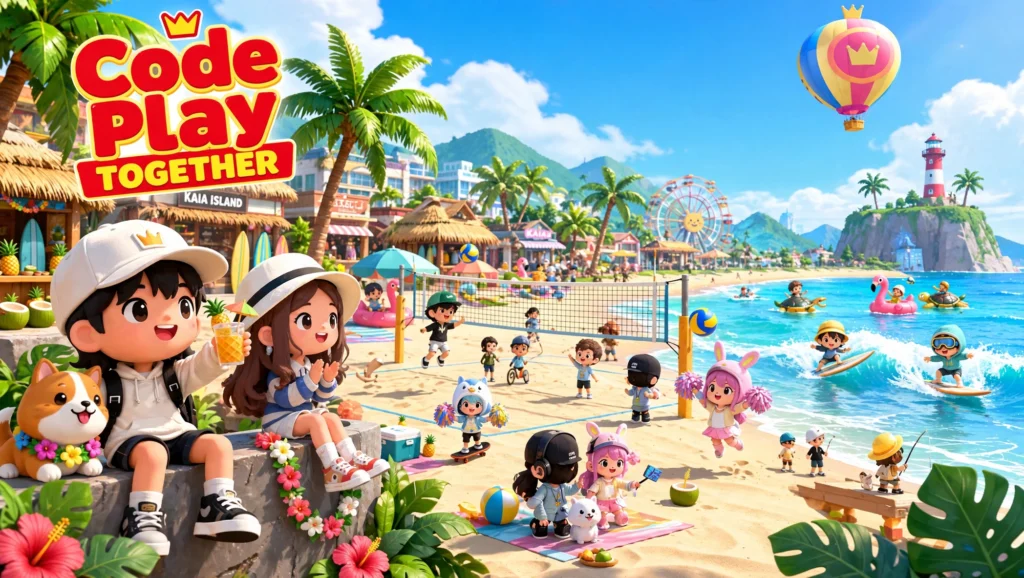
Play Together is a casual social game centered around an open virtual world where players can spend time with friends, customize their characters, participate in activities, and collect different items. Instead of focusing only on traditional combat or competitive gameplay, Play Together combines social interaction with mini-games, customization, collecting, events, pets, fishing, decorating, and exploration. Kaia Island acts as the main hub where players can meet others and take part in different activities.
You can:
- Customize your avatar
- Visit different areas
- Play mini-games
- Complete missions
- Catch fish and bugs
- Collect items
- Raise pets
- Decorate your home
- Join seasonal events
- Collect cards and event rewards
- Socialize with other players
This variety is one reason the game appeals to players who want something more relaxed than a traditional action game.
Key Specification
| Feature | Details |
| Game | Play Together |
| Developer | HAEGIN |
| Genre | Social multiplayer/casual adventure |
| Main World | Kaia Island |
| Platforms | Android, iOS, Steam/PC |
| Codes | Event and promotional coupons |
| Rewards | Gems, packs, tickets, cosmetics, and event items |
| Redemption | In-game or official coupon page, depending on platform |
Why Are Play Together Codes Popular?
A useful coupon can give you items that would otherwise take time to collect through normal gameplay.
Players usually search for a Code Play Together when:
- A new event has started
- A monthly coupon is released
- A special celebration is happening
- They want free Gems
- They need event items
- They want additional card packs
- They are looking for costumes or cosmetic rewards
- They want to save in-game resources
The rewards vary from one promotion to another. The current October monthly coupon, for example, gives 30 Gems and one Super Premium Card Pack.
Expired Codes in Play Together
Not every Play Together code remains available. Keeping expired codes in a separate section is useful because players frequently find old codes through search results, social media posts, videos, or community discussions.
Here are examples of previously published codes that should be treated as expired based on their announced periods:
| Code | Status |
| MOONTOGETHER | ❌ Expired |
| PT26SEPMONTHLY | ❌ Expired |
| PT26AUGMONTHLY | ❌ Expired |
| PTFENNECFOX | ❌ Expired |
| PTGHOSTSTORY | ❌ Expired |
| PTMETEORSHOWER | ❌ Expired |
| PTSUSHIMASTER | ❌ Expired |
| PTSUMMERFESTIVAL | ❌ Expired |
| PTWEATHERSTATION | ❌ Expired |
| PT26JUNEMONTHLY | ❌ Expired |
| PTPRINCESSTP | ❌ Expired |
| PTTEENIEPINGTY | ❌ Expired |
| LEGENDDERBYPT | ❌ Expired |
| PTTROPICAL | ❌ Expired |
Earlier code lists document these codes as event or monthly promotions that have passed their respective redemption periods.
Why Do Codes Expire?
There are several reasons:
- The event has finished.
- The promotion has reached its end date.
- The maximum number of claims has been reached.
- The publisher has replaced the promotion with a new event.
- The coupon was created for a limited regional campaign.
This is why you should redeem useful codes as soon as you find them.
How to Redeem Codes in Play Together
The redemption method depends on your device. Android and Steam users can enter coupons directly through the game settings. iPhone and iPad users use a separate official redemption page according to HAEGIN’s current coupon instructions.
Android & Steam Redemption
To redeem a coupon inside the game:
- Open Play Together.
- Enter the game with your account.
- Tap the smartphone icon.
- Open Settings.
- Find Enter Coupon.
- Enter your active code.
- Select Receive Gift.
- Open your in-game mailbox.
- Claim your reward.
HAEGIN’s October coupon notice confirms this Android and Steam process.
A Small Tip Before Entering a Code
Copy the code instead of typing it manually whenever possible.
This helps prevent mistakes caused by:
- Extra spaces
- Missing characters
- Incorrect numbers
- Similar letters
- Accidental punctuation
If the coupon does not work, HAEGIN recommends completely closing the Play Together app and trying again.
iPhone and iPad Method
iOS users have a different redemption route.
According to the current official HAEGIN instructions, iPhone and iPad players can redeem the coupon through the separate Play Together coupon page rather than relying on the in-game coupon menu.
iOS Steps
- Completely close Play Together.
- Open Safari or another browser.
- Go to the official Play Together coupon redemption page.
- Enter the coupon code.
- Confirm the code.
- Open Play Together again.
- Go to your mailbox.
- Collect the reward.
The official notice specifically directs iOS users to the separate coupon page.
What Rewards Can You Get From Play Together Codes?
A Play Together code does not always provide the same type of reward. The publisher can change the reward depending on the event.
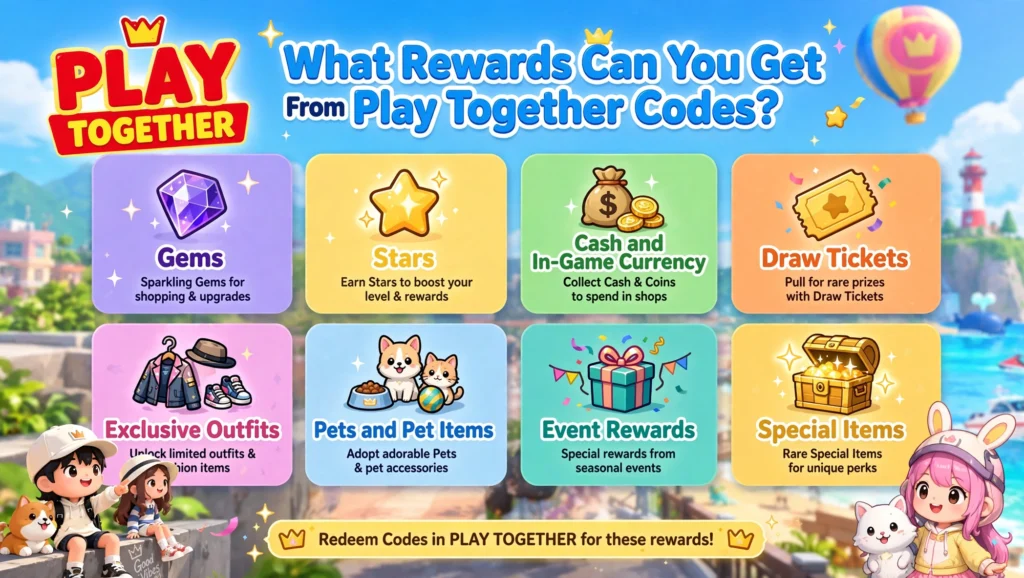
Gems
Gems are one of the most desirable rewards because they are useful for different in-game activities and purchases. The current October monthly coupon provides 30 Gems.
Stars
Star-related rewards can appear through certain promotions and lucky boxes. These can be especially useful for players who are building up their in-game resources.
Cash and In-Game Currency
Some promotions provide currency or items that help players progress without spending additional money. The exact reward depends on the coupon.
Draw Tickets
Event coupons can sometimes include tickets or draw opportunities. These may be connected to limited-time collections, card packs, or event systems.
Exclusive Outfits
Play Together places a strong focus on customization, so special costumes and cosmetic items are popular event rewards. These items allow players to make their avatars look different without changing the basic gameplay.
Pets and Pet Items
Pets are another important part of Play Together. Depending on the event, promotional rewards can include pet-related items, boxes, or collectibles.
Event Rewards
Limited-time events often introduce their own currencies, boxes, tickets, and collectibles. The PTGIANTVEGGIE promotion, for example, is connected to the Giant Veggie event and provides Vegetable Coins along with other rewards.
Special Items
Some coupons are created for specific celebrations or collaborations. These rewards can include unusual cosmetics, decorative objects, collectible items, or event-specific bonuses.
Play Together Old Versions
Some players search for older versions of Play Together because they prefer an earlier interface, feature set, or gameplay experience. However, using an outdated version is not always a good idea.
Why Do Players Look for an Old Version?
Common reasons include:
- They prefer the older interface
- Their device struggles with newer builds
- They want to remember an earlier version
- They are looking for a feature that changed
- They want to compare old and new gameplay
Should You Install an Old Version?
There is an important difference between wanting an older version and safely using one.
Older builds may have:
- Security vulnerabilities
- Compatibility problems
- Missing events
- Login issues
- Server incompatibility
- Broken features
- Missing current content
For that reason, official and currently supported versions are generally the safer choice. Avoid downloading an old APK from an unknown website simply because it claims to provide a specific historical version.
Play Together for PC
Play Together is also available through Steam, allowing players to enjoy the game on a larger screen. The PC version can be useful for people who prefer desktop controls, a larger display, or playing alongside other desktop applications. Steam currently lists Windows and macOS system requirements for Play Together.
Why Play Together on PC?
Playing on a computer can offer several advantages:
- Larger screen
- More comfortable long sessions
- Easier navigation for some players
- Keyboard and mouse support
- Better visibility for customization
- Convenient multitasking
- Access through Steam
PC is particularly attractive if you already spend a lot of time at your computer and do not want to keep switching between your phone and desktop.
Play Together PC System Requirements
The current Steam listing specifies the following minimum requirements for Windows:
| Component | Minimum |
| Operating System | Windows 10 64-bit |
| Processor | Intel Core i3 or AMD equivalent |
| RAM | 4 GB |
| Graphics | GeForce GTX 660 or AMD Radeon HD 7950 |
| DirectX | Version 11 |
| Storage | 5 GB |
| Internet | Broadband connection |
For macOS, Steam lists macOS 10.14 or newer, an Intel i5-7300U or equivalent minimum processor, 4 GB memory, dedicated DX11 NVIDIA/AMD graphics, and 5 GB available storage.
Recommended PC Setup
For a smoother experience, Steam lists a higher configuration including an Intel Core i5 or equivalent, 8 GB RAM, and stronger graphics hardware.
Play Together for iOS
Play Together works well as a mobile social game because many of its activities are designed around short and casual sessions. iPhone and iPad users can explore the same general world, customize characters, participate in events, collect items, and interact with other players.
Why Play Together on iPhone?
iPhone users may prefer Play Together because:
- It is easy to play while travelling
- Touch controls are convenient
- Short sessions fit daily routines
- The game is designed around social activities
- Events can be checked directly from mobile
- Photos and customization are easy to manage
Another important point is coupon redemption. iOS users should remember that the current official redemption process uses a separate coupon page.
iOS Requirements
The exact device requirements can change with future updates, so users should always check the current App Store listing before installing or updating. In general, keep your iPhone or iPad updated and make sure you have enough free storage for the game and future updates. A stable internet connection is also important because Play Together is an online multiplayer experience.
Play Together Beginner Guide
Starting a social game with many menus and activities can feel confusing at first. The best approach is to learn the basics before trying to collect everything.
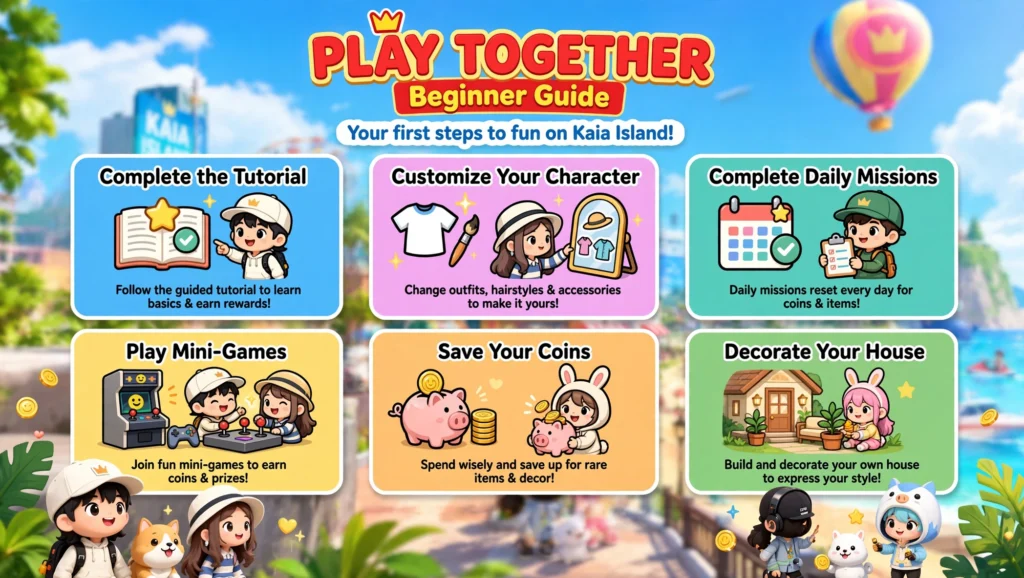
Complete the Tutorial
Do not rush through the opening tutorial. It introduces the basic controls, menus, movement, and important features you will use later. Learning the interface early makes future activities much easier.
Customize Your Character
Character customization is one of the fun parts of Play Together.
Experiment with:
1. Hairstyles
2. Clothes
3. Accessories
4. Facial appearance
5. Other cosmetic options
You do not need to build the perfect character immediately. Your style can change as you collect more items.
Complete Daily Missions
Daily activities can help you build resources over time. Instead of trying to do everything in one session, create a simple daily routine. Check:
1. Missions
2. Events
3. Rewards
4. Mailbox
5. Available activities
This approach makes progression feel less overwhelming.
Play Mini-Games
Mini-games are a good way to understand the game’s mechanics while earning useful rewards. They also provide a break from collecting and customization.
Save Your Coins
A common beginner mistake is spending every resource immediately. Before purchasing something, ask whether you actually need it. Saving resources gives you more flexibility when a useful event or limited item becomes available.
Decorate Your House
Home customization is another major part of Play Together. Start with practical or inexpensive decorations and improve the space gradually. You do not need to spend everything at once to create a good-looking home.
Smart Ways to Progress Faster
You do not need to play for hours every day to make progress.
A simple routine can work well:
- Log in regularly.
- Check available events.
- Complete useful missions.
- Redeem active coupons.
- Open your mailbox.
- Collect daily rewards.
- Save valuable resources.
- Participate in limited-time activities.
- Upgrade your collection gradually.
The key is consistency rather than trying to finish everything in a single session.

Pros and Cons of Code Play Together
Pros
Cons
Common Play Together Code Problems
Even a valid coupon can sometimes appear to fail.
Code Already Redeemed
Most promotional codes are limited to one redemption per account. The official October coupon explicitly states that it can be used once per account.
Expired Coupon
Check the deadline before trying repeatedly.
Incorrect Code
Copy the code carefully and remove accidental spaces.
Temporary Game Issue
Completely close the game and restart it. HAEGIN specifically recommends this if the October coupon cannot be used.
Reward Not Claimed
After redemption, check the mailbox. Some rewards can disappear if they are not claimed within the applicable period.
How to Find New Play Together Codes
The safest approach is to monitor official announcements rather than relying only on random code lists.
Useful places include:
- Official Play Together announcements
- In-game news
- Official social channels
- Official community channels
- Event announcements
- Reputable gaming guides that clearly show update dates
The official HAEGIN notice page currently shows a steady stream of Play Together event, update, and coupon announcements, including the October monthly coupon.
Are Play Together Codes Really Free?
Yes. A promotional coupon is intended to provide the advertised reward without requiring you to purchase that specific reward.
But be careful with websites that claim you need to:
- Pay to unlock a coupon
- Provide your password
- Give away verification codes
- Install unknown software
- Download modified game files
- Complete suspicious surveys
A normal promotional coupon should not require your banking information or game password.
Frequently Asked Questions
Conclusion
Play Together is much more than a game built around redeem codes. Its combination of social interaction, mini-games, character customization, pets, home decoration, collecting, and seasonal events gives players plenty of reasons to keep coming back. Still, Code Play Together searches remain important because promotional coupons can provide useful resources without requiring an additional purchase. The most important thing is to check the status of each code before trying it. As of October 2026, PT26OCTMONTHLY is officially confirmed, while several short-duration October event coupons are also currently reported active. Because those event codes can disappear quickly, redeem them as soon as possible rather than waiting until the final day. Keep the working and expired sections separate, follow the correct redemption method for your platform, and avoid unofficial downloads or websites asking for sensitive account information. With a little consistency, daily missions, events, mini-games, and legitimate promotional codes can make progressing through Play Together much more enjoyable.
Personal Experience
When checking game coupons, I prefer a simple rule: redeem first, save later.
A code that is working today may not work after an event ends. This is especially important with Play Together because many promotions are connected to seasonal activities, monthly campaigns, or short event windows. I also find it much easier to maintain two separate lists: one for currently usable codes and another for expired codes. This prevents old promotions from making the main code section unnecessarily long. For players, this saves time. Instead of testing ten old coupons and wondering why nothing works, they can immediately focus on the codes that have the best chance of being active.
Contact Us
Have a question, suggestion, or need assistance regarding CodePlayTogether.codes? We’re always happy to hear from you. If you need help with our website, have questions about our content, or want to report an issue or correction, feel free to get in touch with us.
For general inquiries, feedback, suggestions, or other questions, you can contact us by email:
Email: [email protected]
We do our best to review and respond to genuine inquiries as soon as possible. Whether you have a question about our website or simply want to share your feedback, your message is always welcome.
Have a question or suggestion? Contact us today—we’ll be happy to assist you.